Your First Ride
This is the routine for every ride once setup is done. New here? Start with Set Up Your Bike. Setup ends with this routine.
Table of contents
Video
Every ride
- Close other apps that control the SmartSpin2k. Only one app can control it at a time.
- Plug in your SmartSpin2k. The status light comes on.
- Wake your bike. Pedal a few seconds. On a Peloton Bike in Tablet Mode, start a Just Ride on the tablet first.
- Open your training app and pair SmartSpin2k, as below.
Pair SmartSpin2k to Your Training App
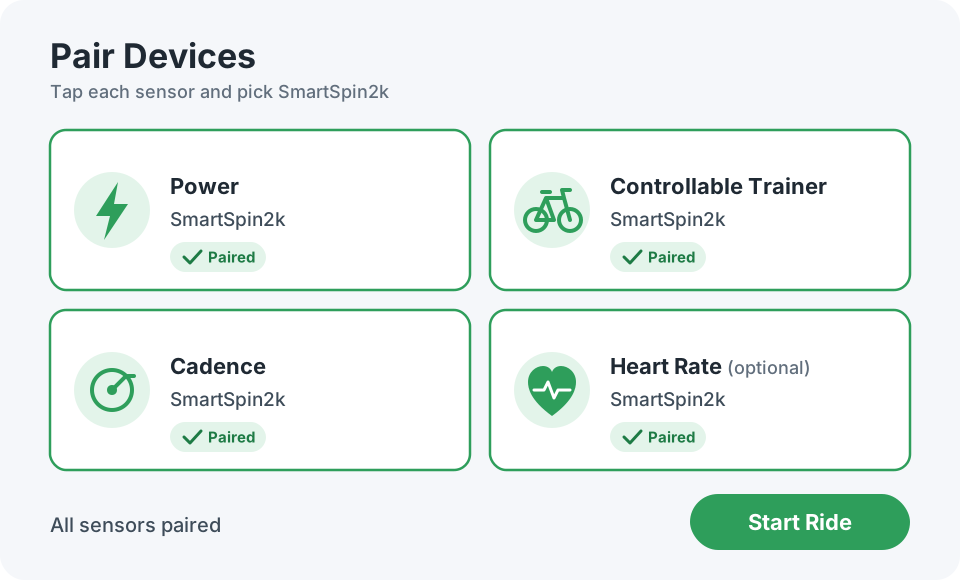
Every training app has its own pairing screen, but they all ask for the same sensors. Pick SmartSpin2k for each one. For the full list of compatible apps, see Compatibility.
- Turn on Bluetooth on the device running your training app, then open the app’s pairing screen.
- Tap Power and pick SmartSpin2k.
- Tap Controllable Trainer and pick SmartSpin2k. Some apps call this Resistance, Smart Trainer, or Controllable.
- Tap Cadence and pick SmartSpin2k.
- If you paired a heart rate monitor through SmartSpin2k, tap Heart Rate and pick SmartSpin2k.
To change shifter direction, shift step, or other settings, see Configuration.